
Install Product Keys Delivery
Install the Product Keys Delivery extension on Magento 2 by copying the package to app/code and running setup:upgrade.
This page shows how to install the extension on your Magento 2 server. Installation is manual only; Composer installation is not available.
Before you begin#
- The extension package (a ZIP file) from your purchase.
- File access to your Magento web server.
- Terminal (SSH) access to run
bin/magentocommands.
Install the extension#
- Download and unzip the package.
- On your web server, open the
app/codefolder in your Magento root. If thecodefolder does not exist, create it. -
Copy the
Dartfolder from the package intoapp/code.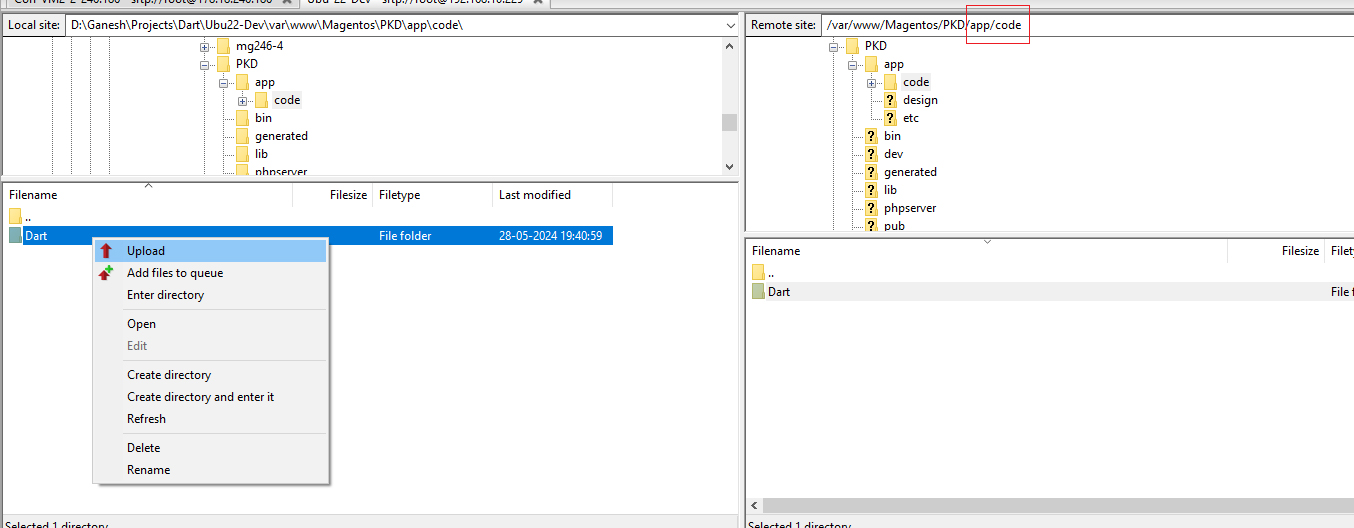
-
In a terminal, go to your Magento root directory:
cd /var/www/<your-magento-directory>
- Run the setup upgrade, then clean the cache:
php bin/magento setup:upgrade
php bin/magento cache:clean
The extension is now installed. The package also includes an installation and user guide.