
VetNvet
Start here to set up VetNvet for your clinic and learn how the free trial and subscriptions work.
VetNvet is a practice management system for veterinary clinics. You use it to keep records of pets and their owners, run consultations, book appointments, write prescriptions and send messages to pet owners.
Set up your clinic#
Before you see your first patient, set up these items in order:
- Check your clinic and branch details. See Clinic and branches.
- Add your staff and give each person a role. See Add users and roles.
- Set up a letter pad for printing and sharing visit details. See Letter pad templates.
- Check the master lists (animals, breeds, medicines and more). See Masters.
- Create prescription templates for your common treatments. See Prescription templates.
Then add your first pet and start a consultation.
Tip
The video Getting started with VetNvet in 5 minutes walks through these steps.
Free trial#
The free trial lets you use VetNvet for 15 days to check that it fits your clinic. The records you add during the trial are kept when you move to a paid plan.
Start a free trial#
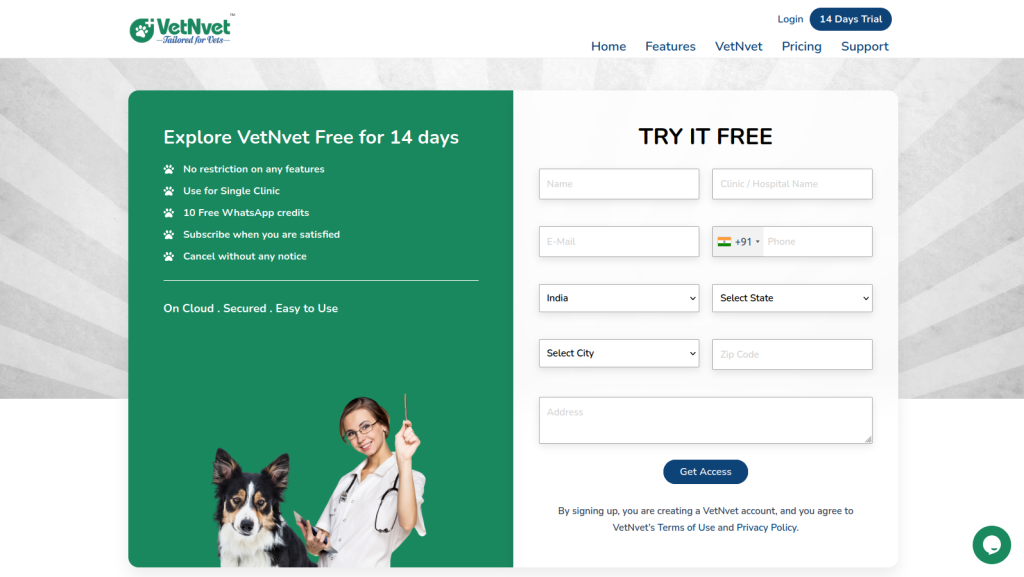
- Go to the VetNvet website and open the free trial form.
-
Fill in the form. Check your details carefully: VetNvet uses them to create your main clinic and primary contact.
-
Check the details and submit the form.
- Open the confirmation email. It contains your account details for signing in, and links to download the mobile apps.
Note
You can change your details later, except your email address. Your email address identifies your account.
What the trial includes#
- All the features of the paid plans.
- One clinic, 2 doctors and 1 assistant.
- No WhatsApp credits. If you want to test WhatsApp messages, you can buy a credit bundle.
- No limits on in-app messages or emails.
In-app messages#
In-app messages are turned on by default. They send messages to pet owners who use the VetNvet Client Connect app. When all your clients use the app, in-app messages can save you WhatsApp charges.
Read more about the VetNvet Client Connect app.
Move from trial to subscription#
During the trial, a notice at the top of the screen shows the date your trial ends. To subscribe, select the link in that notice, or go to Subscription in the left menu.
When the trial ends#
If your trial ends and you have not subscribed, your account becomes inactive. For the next 15 days (the grace period) you can still sign in, but you cannot use any features. Subscribe during the grace period to make your account active again.
Warning
If you do not subscribe before the grace period ends, your account is removed completely.
Subscription plans#
You can choose the Standard or Enterprise plan, depending on how many branches you have. Both plans can renew monthly or yearly. Auto-renewal is recommended, but you can also pay manually.