Pet cards
Use pet cards to see a pet's visits and profile, edit or delete the pet, and print or share visits.
Each pet on the Pets page appears as a card. From a card you can see the pet's visits and profile, and act on the pet without opening other screens.
What you can do from a card#
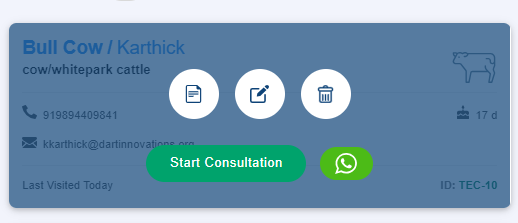
Point to a card to see its buttons. You can:
- View the pet's details and visits.
- Edit the pet's details.
- Delete the pet.
- Start a consultation.
- Send a message or add a follow-up with the WhatsApp button.
See a pet's visits#
Select the view details button. The pet's visits are listed, each marked with a letter:
| Mark | Meaning |
|---|---|
| S | Submitted. The doctor has completed and submitted the visit. |
| D | Draft. The doctor has not submitted the visit yet. |
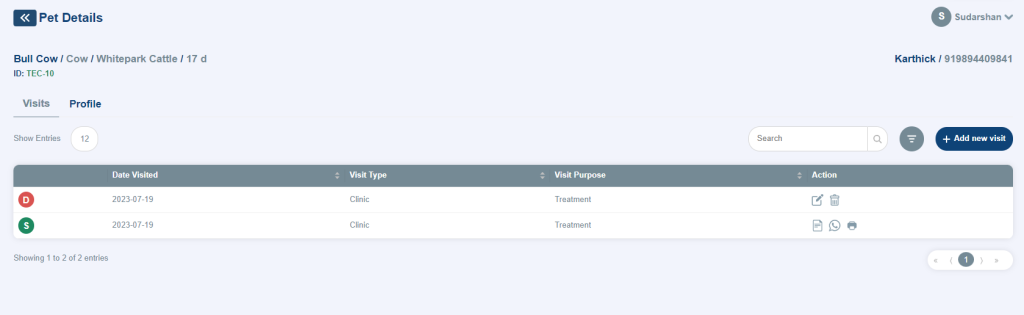
You can print a submitted visit, or share it with the owner by WhatsApp or email. You cannot print a draft visit.
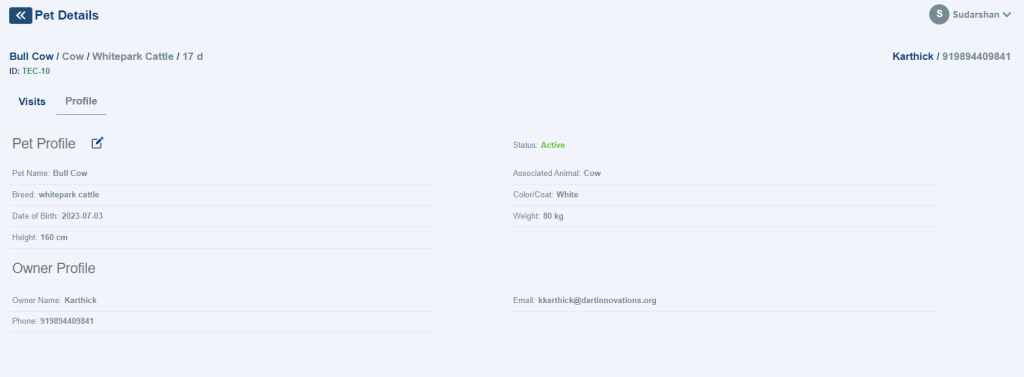
The details also show the pet's profile and the owner's profile.