
Letter pad templates
Use the default letter pads or create your own letter pad template for printing and sharing visit details.
A letter pad is the page layout VetNvet uses when you print or share visit details. You can use a default template or create your own with a different header, footer, font and colour.
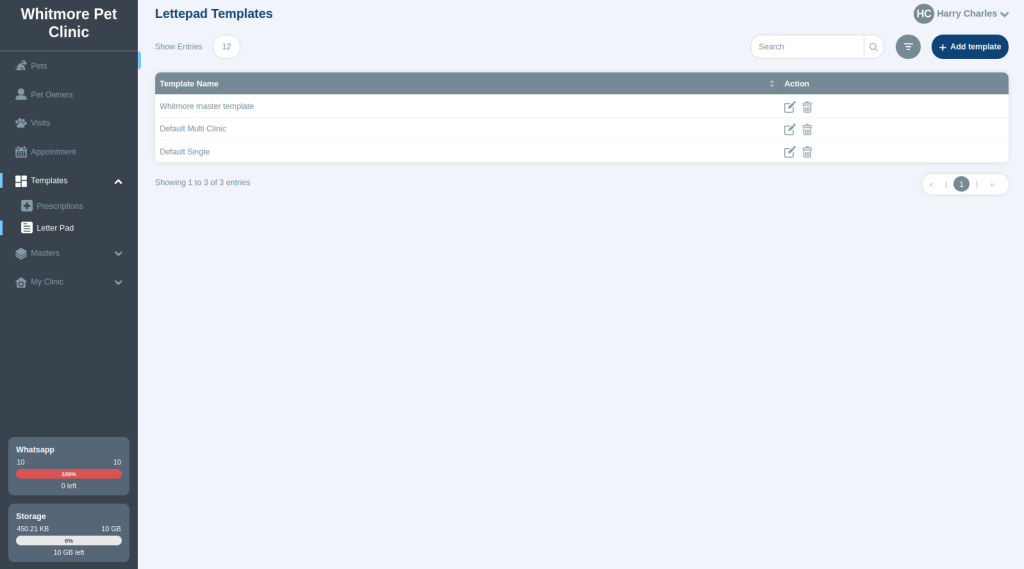
To open your templates, go to Templates > Letter Pad.
Default templates#
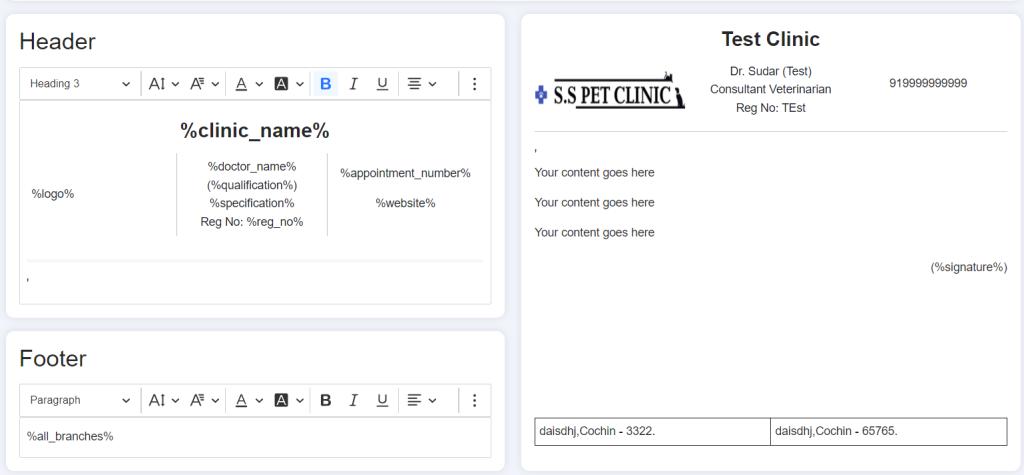
VetNvet includes default templates for a clinic with several branches and for a single clinic. Their header and footer are already filled in:
- The header shows the clinic logo, clinic name, doctor and contact details.
- The footer shows branch details.
- The middle of the page holds the visit content.
Themes#
Each template uses one of these themes:
| Theme | Use it for |
|---|---|
| Classic MC | A clinic with several branches. The footer lists all the branch details. |
| Classic Single | A single clinic. The footer shows only that clinic's details. |
| Plain | Your own layout. Doctors enter all the header and footer content themselves. |
Where the details come from#
The letter pad fills in details automatically:
- From Users: doctor name, qualification, signature, licence number and branch.
- From My Clinic: clinic name, logo and clinic contact details.
Keep the details in Users and My Clinic correct, and upload each doctor's signature. Otherwise the letter pad shows wrong or missing information.
Create your own template#
-
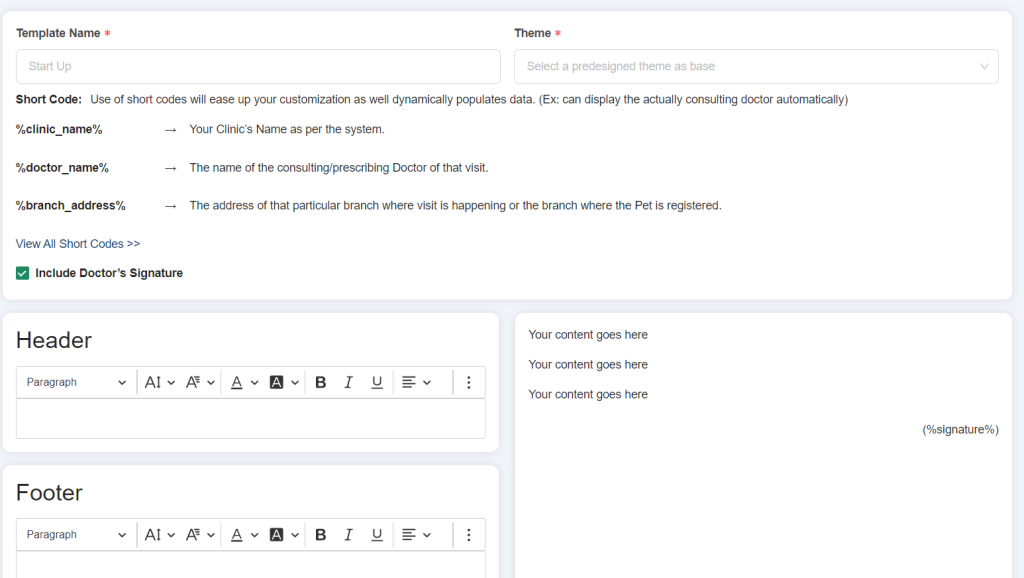
Go to Templates > Letter Pad and select Add template.
-
Enter a template name.
- Choose a theme: Classic MC or Classic Single.
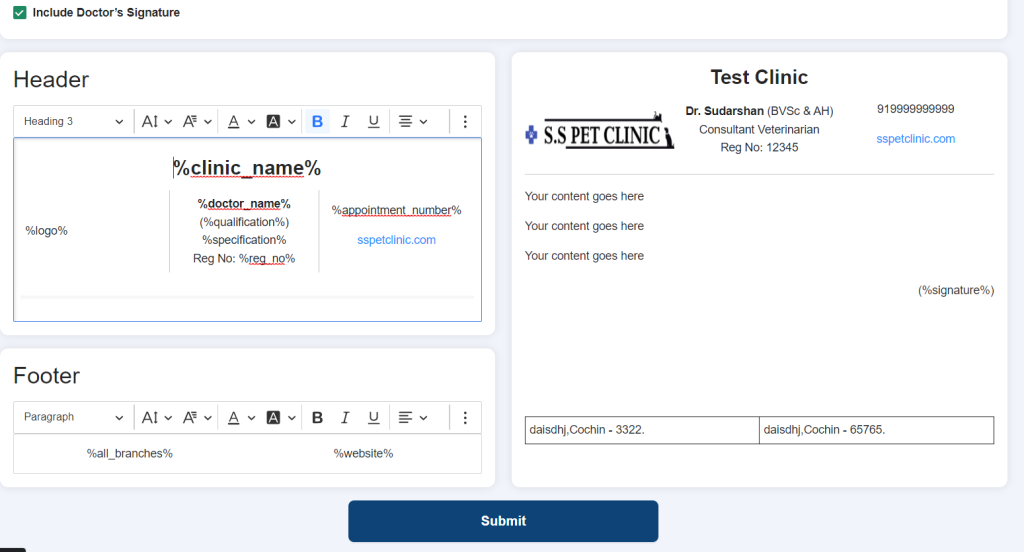
- Build the header and footer with the short codes below. Place them where you want them, for example top left or top right.
- Set the font, font size, colour, alignment and bold text. You can add a link to your website.
- To show the doctor's signature on the letter pad, select the option to include it.
- Save the template.
Short codes#
Short codes are placeholders. VetNvet replaces each one with the real detail when you print or share.
| Short code | Shows |
|---|---|
%clinic_name% |
Your clinic's name. |
%doctor_name% |
The name of the doctor who consulted or prescribed for this visit. |
%branch_address% |
The address of the branch where the visit happens, or where the pet is registered. |
%all_branches% |
A list of your top four branches. |
%qualification% |
The doctor's qualification. |
%specification% |
The doctor's specification. |
%reg_no% |
Your registration number. |
%signature% |
The doctor's signature. |
%appointment_number% |
The current branch's appointment number. |
%website% |
A link to your clinic website. |
%logo% |
Your clinic logo. |