
Medicines
Add medicines with their type and size so doctors can prescribe them.
The Medicine master lists the medicines doctors can prescribe. The most common medicines for animals are already in the list.
Add a medicine#
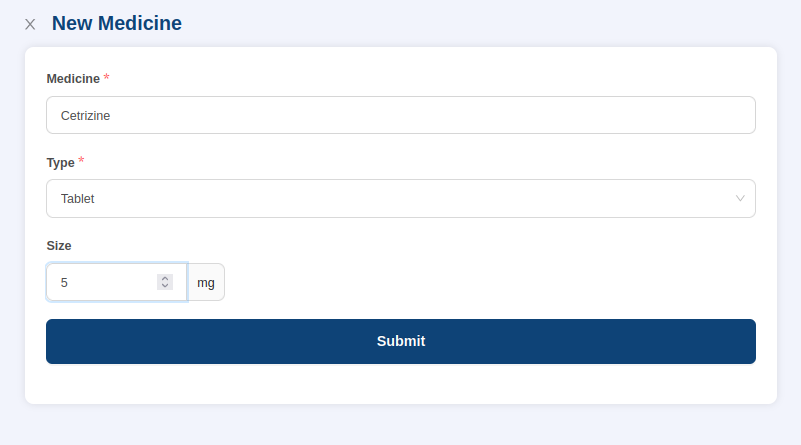
- Go to Masters > Medicine and select Add Medicine at the top right.
- In Medicine, enter the medicine name.
- In Type, choose the type, for example syrup, tablet or injection.
- In Size, enter the size.
- Select Submit.
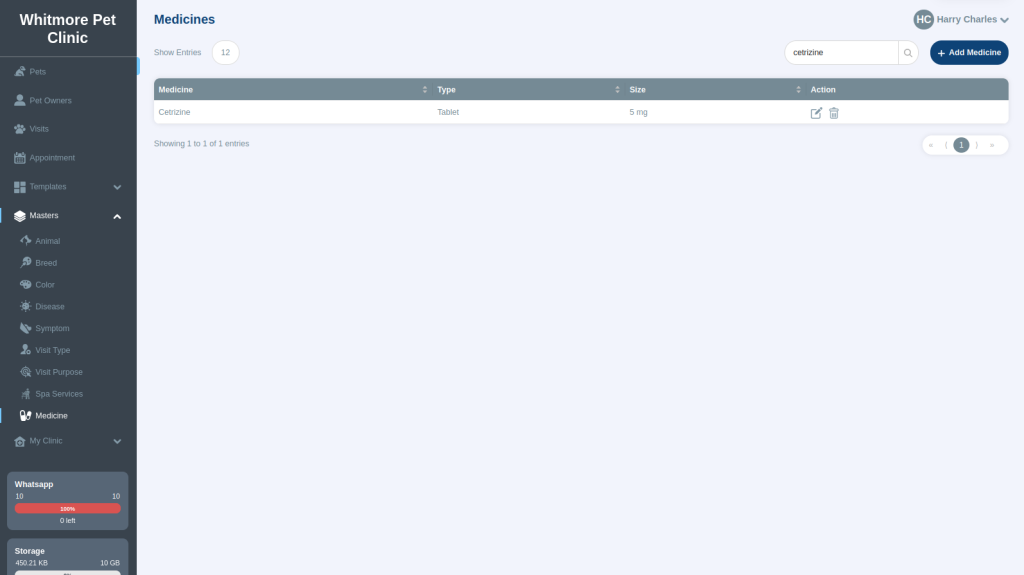
The medicine appears in the list. To find a medicine, type its name in the search box.
Edit a medicine#
Select the edit icon next to the medicine in the Action column, make your changes and save.
Where it is used#
Doctors choose medicines in Medications when they run a consultation, and when they build prescription templates. To learn about deleting entries, see Masters.