
Masters
Learn what the master lists are, how to add your own entries and when you can delete them.
Masters are the lists VetNvet uses when you add pets and visits: animals, breeds, colours, diseases, symptoms, visit types, visit purposes and medicines. Your account starts with ready-made lists. If something is missing, add it yourself.
To open a list, go to Masters in the left menu and select the list.
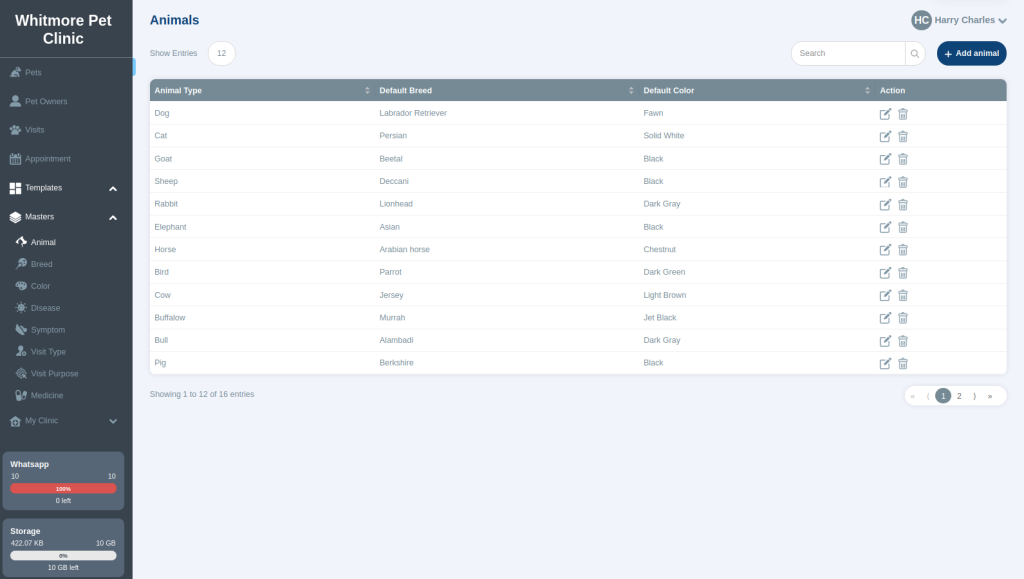
The master lists#
| List | What it holds | Page |
|---|---|---|
| Animal | The animals you treat, each with a default breed and colour. | Animal master |
| Breed | Breeds, each linked to an animal. | Breed master |
| Color | Colours and coats. | Colour master |
| Disease | Diseases, used for the confirmatory diagnosis. | Disease master |
| Symptom | Symptoms, used during a consultation. | Symptoms master |
| Visit Type | Where the pet was treated, such as clinic, home or farm. | Visit types |
| Visit Purpose | Why the pet was seen, such as vaccination or illness. | Visit purposes |
| Medicine | Medicines with their type and size. | Medicines |
Add, edit or find an entry#
- To add an entry, open the list and select the Add button at the top right.
- To change an entry, select the edit icon in the Action column.
- To find an entry, type in the search box at the top right. This helps when a list has more than 25 rows.
Delete an entry#
You cannot delete the ready-made entries. You can delete an entry you added, but only if no pet uses it. For example, if you added an animal and assigned it to a pet, you cannot delete that animal.