
Breed master
Add the breeds you need and link each breed to an animal.
The Breed master lists breeds and the animal each one belongs to. It includes the ready-made breeds and any breeds you add.
When you add a breed while adding an animal, it is saved here automatically.
Add a breed#
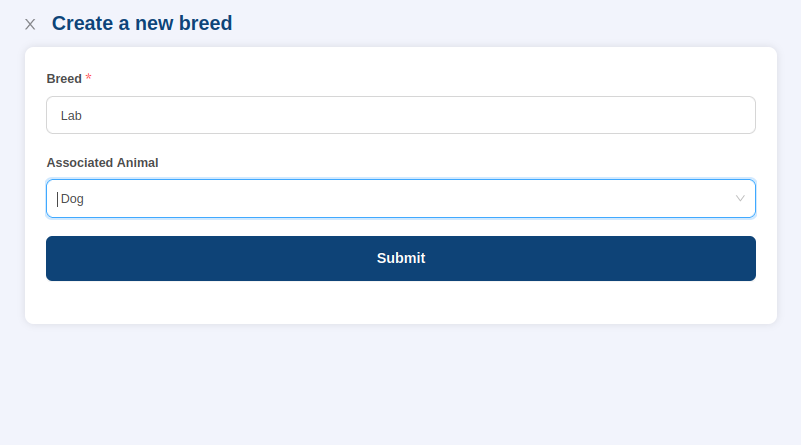
- Go to Masters > Breed and select Add Breed at the top right.
- Enter the breed name.
- Choose the animal the breed belongs to.
- Select Submit.
The breed appears in the list next to its animal.
Edit a breed#
Select the edit icon next to the breed in the Action column, make your changes and save.
Where it is used#
You choose the breed when you add a pet. To learn about deleting entries, see Masters.