
Admin roles
Understand the Super Admin, Domain Admin and OU Admin roles in AD Web and control what each role can do.
AD Web has three admin roles for Active Directory administration. This page explains each role, when to use it and how to control its rights.
- Super Admin
- Domain Admin
- OU Admin
You map each role to an Active Directory group. Members of that group get the role's rights.
Super Admin#
The Super Admin is the top-level admin, with access to every Active Directory domain in AD Web and no restrictions. Only a group in the primary domain can be mapped to the Super Admin role.
Domain Admin#
Domain Admins can access one Active Directory domain only. They manage the users, groups and OUs of that domain. You map a Domain Admin group for each domain when you add the domain, or later in Admin > Domains.
Example: You host a dedicated Active Directory for each client, and you want each client's administrators to manage their own users. Or your branches or departments each have their own domain. You don't want to give them access to the domain controllers, but handling every lockout and password request yourself takes time. With the Domain Admin role, they manage their own users through AD Web while your domain controllers stay protected.
OU Admin#
OU Admins can administer the other objects in their own OU. Many organisations use OUs to separate clients, departments or branches. You can make one or more users in an OU admins for that OU.
Example: An OU Admin in the OU ABC Company can manage the users, groups and sub-OUs in ABC Company. They can't do anything with objects in other OUs.
Note
Domain Admins and OU Admins can't access the admin area.
Control what each role can do#
A Super Admin controls the rights of the Domain Admin and OU Admin roles.
- Go to Admin > Settings.
- Scroll down to Manage Rights.
- Turn each action on or off for Domain Admin and Ou Admin. You can control each action for users, groups and OUs separately.
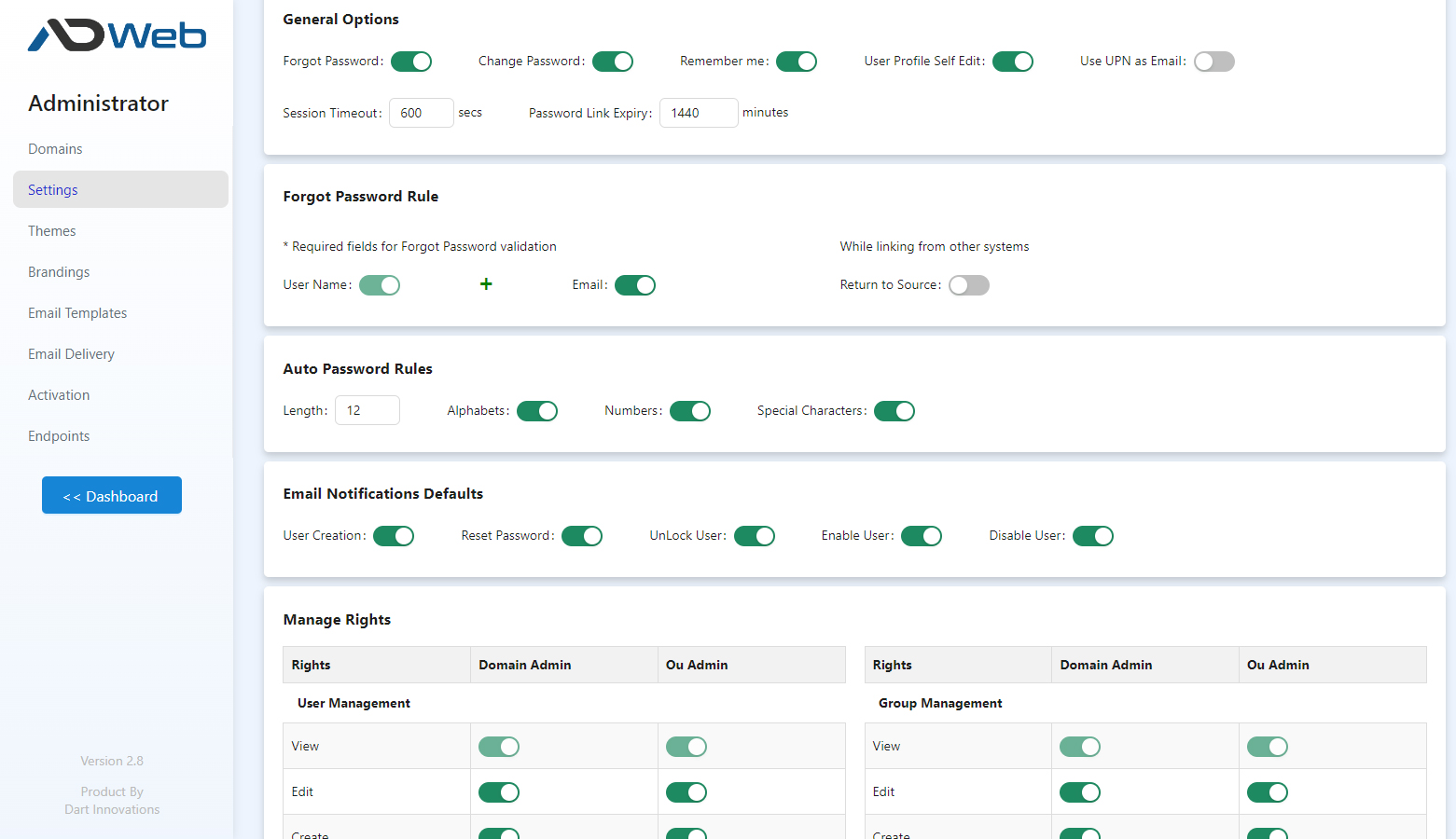
Example#
With the following settings for user management:
Domain Admins can:
- View, edit and create users.
- Import users in bulk.
- Reset any user's password.
- Unlock any locked user.
- Not delete, enable or disable users.
OU Admins can:
- Only reset passwords and unlock users.
- Not create, edit, delete or do anything else with user objects.
You set rights for groups and OUs in the same way.