
Endpoints and SSL
Add HTTP and HTTPS endpoints in AD Web, change the listening port and upload an SSL certificate.
Endpoints control the hosts and ports AD Web listens on. Use this page to change the default port, add an HTTPS endpoint with an SSL certificate, or serve AD Web directly on a public URL.
If you run AD Web behind a reverse proxy (the recommended way to expose it publicly), you usually don't need extra endpoints. Add them only if you need AD Web on a different port or hostname behind the proxy. Running AD Web directly on a public URL is also an acceptable option.
View endpoints#
Go to Admin > Endpoints.
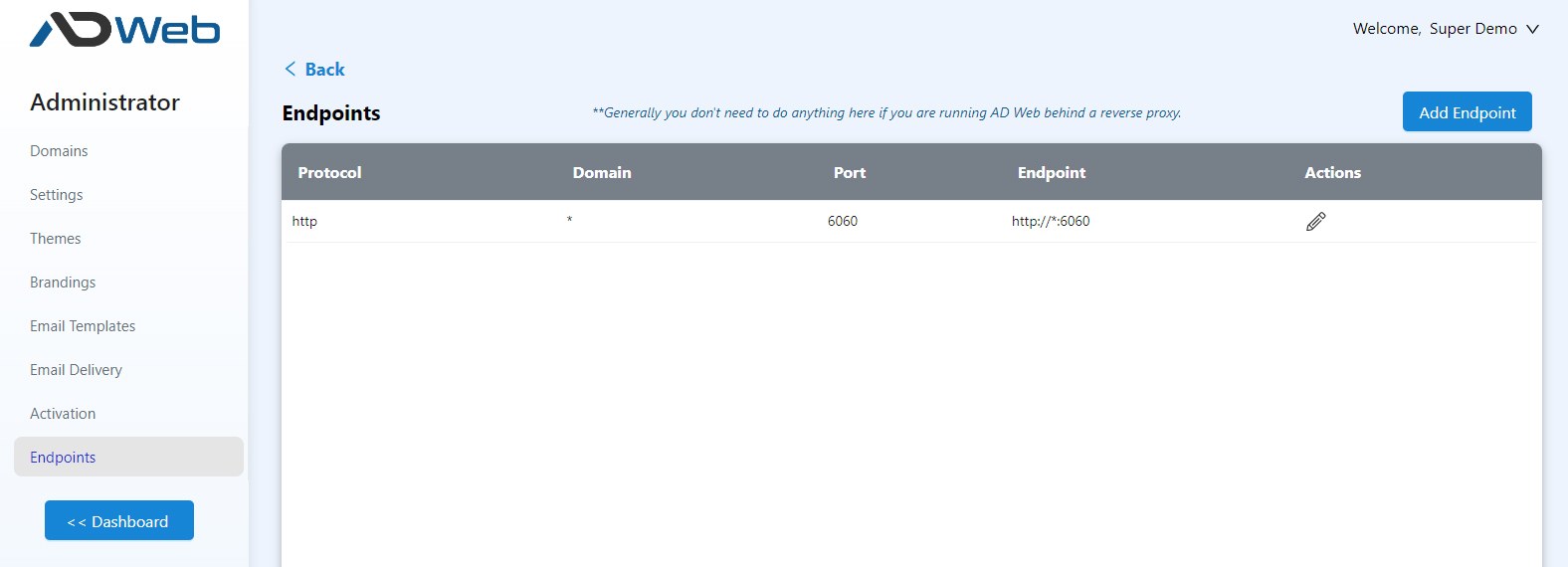
The list starts with one default endpoint. You can't delete it, but you can edit it to change its host or port. For example, you can make AD Web listen on port 80.
Add an endpoint#
- Select Add Endpoint at the top of the list.
-
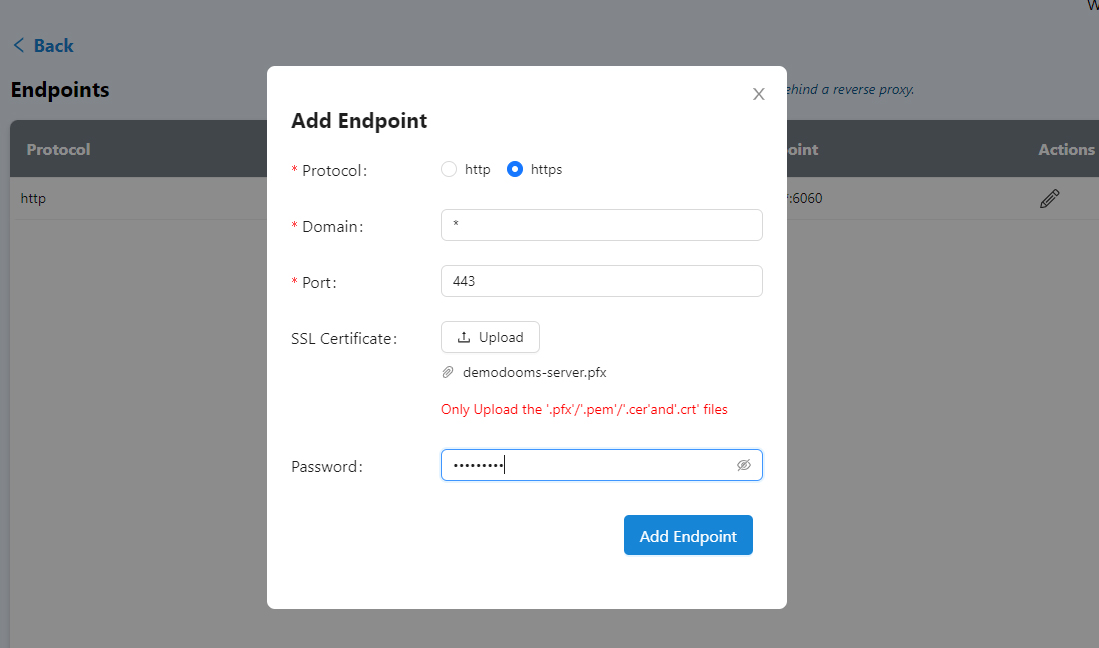
Select http or https. This example adds an HTTPS endpoint.
-
Fill in the fields:
Field Description Domain The host or IP to listen on. Enter a wildcard to listen on all IPs and hosts, so AD Web answers on localhost, the local IP, the public IP and any hostname that points to the server. To listen on one host only, enter it, for examplelocalhost.Port The port this endpoint listens on. SSL Certificate Required for an HTTPS endpoint. Upload your certificate and, if it has one, enter its password in the Password box. -
Save the endpoint. AD Web is now available on the new endpoint URL.
You can add, edit and delete endpoints at any time. There is no limit on the number of endpoints.
If a new endpoint doesn't take effect, restart the AD Web service. A restart is usually not needed.
Best practices#
Running behind a reverse proxy#
Keep the default endpoint, or change its port if you prefer. You don't need an HTTP endpoint on port 80 or an HTTPS endpoint on port 443. A non-standard port is a good choice behind a reverse proxy. See Configure a reverse proxy.
Running AD Web publicly#
To serve AD Web directly on public URLs with standard ports, add an HTTP endpoint on port 80 and an HTTPS endpoint on port 443. To use several URLs, point their DNS records to the AD Web server.
In most cases, keep only an HTTP endpoint, or an HTTP and an HTTPS endpoint. Make other changes in your DNS or reverse proxy.